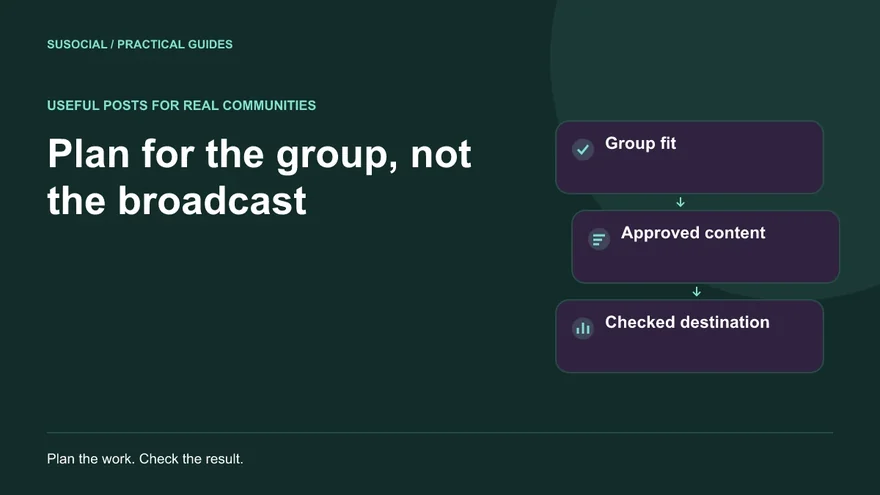
A Facebook group is a community with its own purpose, expectations and moderation. A publishing workflow works best when it helps the business contribute something members need, rather than treating every group as another address for the same promotion.
Start with a small set of relevant communities, prepare useful material for each context and review the complete campaign before it runs. The software should make approved work easier to manage while the team remains responsible for what it contributes.
Define the job for each group
Distinguish a group the business owns from a group run by someone else. In an owned community, a content plan may support onboarding, education and regular discussions. In another administrator’s group, participation depends on that community’s rules and the member’s role.
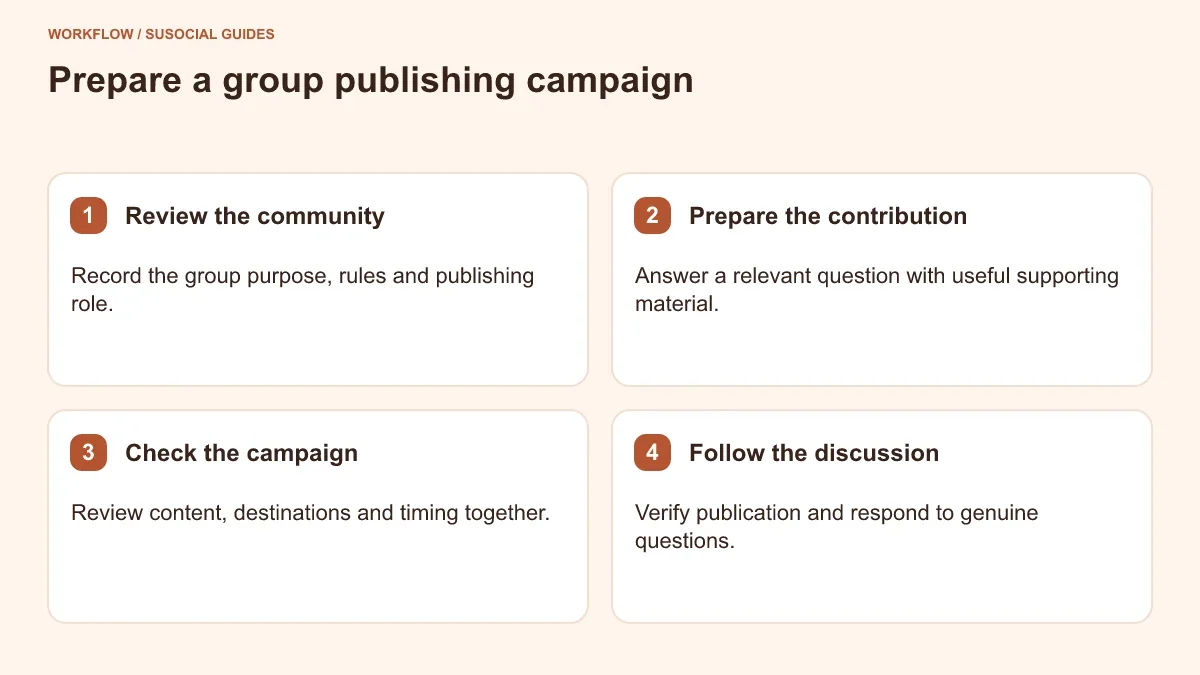
Record the group’s subject, audience, allowed promotional formats and any designated resource or offer threads. Keep a link to the rules and the date they were checked. If the administrator has given specific permission, record its scope rather than assuming it covers every future campaign.
Avoid choosing groups only by member count. A smaller community with relevant questions and active moderation can be a better fit than a large feed filled with unrelated promotions. Read recent discussions before assigning the group to a campaign.
Write a practical contribution goal. “Explain how to prepare a weekly content review” is clearer than “get traffic.” It helps the editor decide whether the post provides enough value for someone who never clicks the link.
Choose the right publication route
Check the controls available to the actual account and role. Native group administration tools and third-party product controls are different systems. Availability of a scheduling option in an owned group does not establish the same capability in every community where the account is a member.
Review current Meta terms and the group’s requirements before enabling an automated action. Administrator permission to post in a community and platform permission for a technical execution method are separate questions. Use an authorized route for the intended task.
SuSocial documents group destinations and campaign controls, but it should not be described as officially exempt from platform restrictions. A useful workflow verifies the current environment instead of promising that delays, proxies or wording changes guarantee continued access.
If the chosen route cannot perform the task appropriately, keep preparation in the content process and use a supported native or manual publication step. The editorial work remains valuable even when execution needs a different method.
Prepare a destination register
Create a simple working table with the group URL, account, role, content category, rule summary and review owner. Add whether a post requires moderator approval or must appear inside a designated thread. These fields affect how the team interprets publication results.
SuSocial’s Destination Lists documentation explains selecting accounts and specific publishing locations. Use narrow lists that correspond to a real purpose, such as an owned customer community or a reviewed educational resource destination.
Do not let automatic tag selection silently expand a sensitive campaign. Review the actual resolved destinations before publishing. A newly tagged account or group can change where content goes even when the campaign’s name remains the same.
Remove destinations that no longer fit. A group may change its rules, its audience may become inactive or the business may lose the relevant role. The register should describe present permission and relevance, not merely historical membership.
Write a contribution that belongs in the conversation
Use the language of the group’s practical problem. A community of small retailers might need a short checklist for preparing a seasonal campaign. A professional group might value a worked example explaining a planning trade-off. The same business can contribute differently without changing the truth of the product claim.
Give the main answer in the post. If a link adds detail, explain what the reader will find there. Avoid forcing a click to discover the basic point or using a teaser that promises more than the destination delivers.
Keep commercial context clear where it matters. A business representative can share useful information without pretending to be an independent customer. If the rules allow product examples, explain the relevant capability accurately and keep the example proportional to the question.
Variation should reflect context. Changing a few synonyms does not make an irrelevant advertisement useful. Write a different opening, example or emphasis because the audience needs it, and check every variant for accuracy before approval.
Structure the campaign around reviewable content
A SuSocial Standard Campaign separates content, destinations and publication settings. Use this separation to review each decision explicitly. A good post sent to the wrong community can still be a poor contribution.
Keep drafts apart from approved items. In the Posts List, inspect copy, media and links before allowing an item into the active sequence. Use clear internal names so the operator can identify which version belongs to which context.
For time-sensitive content, record its expiry condition. A workshop reminder, temporary offer or product availability claim should not remain in a reusable queue after the relevant date. Review recycling options carefully rather than automatically repeating everything that once performed well.
Assign an owner for final checking. Product accuracy, community fit and destination selection may involve different people, but one person should confirm that the complete item is ready to proceed.
Plan timing around usefulness and response capacity
Choose publication times that fit the content and the team’s ability to respond. A discussion prompt can generate questions that need attention. Publishing it when nobody can answer may reduce its practical value even if the time appears attractive in a generic best-time chart.
Review the campaign’s selected days, operating window and destination behavior. Determine whether an item is intended for all selected locations or a limited set. Do not infer the resulting distribution from the number of posts alone.
Treat caps and intervals as workload controls, not immunity settings. If the platform or a group indicates a problem, stop the relevant activity and investigate. A smaller number is not a substitute for relevance or permission.
Keep room for current discussions. A long automated queue should not prevent the team from noticing that a community is focused on a different urgent issue or that an old scheduled example has become misleading.
Verify publication before counting distribution
Distinguish submitted, pending approval and publicly visible content. A successful local operation does not always mean that every member can see the post immediately. Inspect the actual destination and maintain a record of unresolved items.
If a post is declined, read the available reason and the group rules before doing anything else. Do not immediately resubmit the same material through another account or a slightly altered caption. Resolve the underlying issue or choose not to contribute that item.
Preserve the final post URL when available. It gives the responder a specific place to watch for questions and helps later reporting distinguish similar items sent to different groups.
Review media as published. Cropping, preview text or a broken landing page can change the experience even when the source content looked correct in the preparation folder.
Work through a small campaign example
Imagine a bookkeeping software business preparing a guide to month-end review. It owns a customer group and participates in a professional community that allows educational resources in a weekly thread. The two destinations need different contributions.
The customer-group post can explain a documented product workflow and invite setup questions. The professional thread contribution should answer a broader review problem and link to the relevant guide only where the rules allow it. The team records both contexts in the destination register.
The operator reviews the two versions, confirms the selected destinations and checks the resulting posts. A responder notes which questions remain unanswered. These are hypothetical planning steps, not a claim of measured results or guaranteed leads.
The next content decision comes from the discussion. If members ask about a missing step, improve the guide. If the external community finds the resource too commercial, revise the contribution or stop sharing it there. More distribution is not automatically the right response.
Measure community value and business relevance
Track useful replies, relevant destination visits and the next action the content was designed to support. Keep the account’s own records separate from any group-level data available only to administrators.
Record preparation and response time as well as software cost. A campaign that creates repeated misunderstandings can consume more effort than it saves. Clearer content and a smaller, better chosen destination list may improve the whole process.
Meta’s discussion of spammy content emphasizes the problems of unrelated captions and networks distributing repetitive material. The practical editorial lesson is to keep the contribution relevant and original, rather than maximizing the number of places receiving it.
Keep a brief end-of-campaign note for each destination. Record whether the material was welcomed, which questions it raised and whether the rules or audience needs changed. Include a specific next action, such as replacing an example or retiring an outdated link. This record is more useful than a bare list of places where the account has posted. When another operator takes over, it explains why a destination was selected and what good participation looks like there. Review the note before reusing the campaign so past membership does not become an automatic assumption of present relevance.
Group publishing questions
Should one post go to every group in the list?
Only when the content genuinely fits each reviewed destination and the selected method is appropriate. In many cases, separate versions or a smaller list provide a better experience. Check the actual selections before the campaign begins.
Can software guarantee a post will pass moderation?
No. Group administrators control their community decisions. Prepare relevant content, respect their rules and treat a decline as information to review. Do not frame repeated submission or account rotation as a moderation solution.
What should the first campaign contain?
Use a small set of useful, current posts with clear owners and matching destinations. Verify the complete process and response workload before expanding. A manageable campaign gives the team evidence to improve its next contribution.



Leave a Reply