 Instagram
 Facebook
 Twitter
 YouTube
 Pinterest
 LinkedIn
 Tumblr
 Quora
 Reddit
Your Facebook work. A clearer rhythm.
Schedule posts and RSS content for Facebook accounts, Pages and groups where you can publish. Use the tools below to find groups, manage friend requests and messages, and review campaign statistics.
No credit card required Windows 10+
-
Plan your publishing
Schedule content for profiles, Pages and groups.
-
Organise community tasks
Find groups and manage invitations and messages.
-
Review the activity
Use campaign insights and statistics to refine your routine.
Facebook work can span personal profiles, business Pages and groups, each with a different audience and publishing routine. A useful workflow keeps the destination, message and timing connected, while leaving room to follow up with the people who respond.
SU Social combines scheduled publishing, RSS content, group discovery and account tools in one Windows application. Set up the Pages and groups you can publish to, choose the activities you need and review campaign statistics as your routine develops. You can also manage friend requests, messages and group notifications from the relevant tools.
Connect Facebook publishing with community activity
Choose the accounts and destinations that matter to your business before adding more activity. A focused setup makes it easier to match each post to its audience and keep recurring community tasks organised.
Choose the right destinations
Organise the profiles, Pages and groups you work with. Use group discovery and the Ignore tools to keep your activity focused on relevant communities.
Prepare a publishing rhythm
Schedule your posts and import suitable RSS content for destinations where you can publish. Review the wording and timing for the audience of each Page or group.
Make time for follow-up
Use the message, friend-request and group-management tools for recurring tasks. Check campaign insights and statistics to decide what to adjust in your next round of publishing.
Facebook tools, explained.
A closer look at the workflow before you get started.
Can I schedule content for Pages and groups?
Yes. The existing publishing features cover personal accounts, Facebook Pages and groups you can post to. RSS scheduling is also included; the available destinations depend on your account access.
Which group-management tasks are included?
The feature list includes finding, joining, unjoining and ignoring groups, along with member invitations, accepting members and turning off group notifications. Choose the tools that match your role and routine.
Can Facebook posts come from RSS feeds?
Yes. RSS scheduling imports content from the feeds you choose for publishing to the profiles, Pages or groups your account can post to. Review the sources and destinations for each campaign.
Where can I review Facebook campaign activity?
Campaign insights and statistics are included in the Facebook catalogue. Use the recorded information to review your publishing routine and decide which settings to adjust.
Can SU Social reply to newly received Facebook messages?
Auto-Reply to new messages lets you configure replies for newly received messages. Review the response text and return to the conversation when a more personal follow-up is needed.
Can I organise Facebook friend requests?
The Facebook tools include sending friend requests, accepting incoming requests and unfriending. Choose the relevant tools and settings for the account you manage.
Can Facebook accounts have breaks in their activity?
Better Account Management includes custom sleep times, posting limits and randomisation settings. Configure these for the routine of each account.
How do I exclude Facebook groups from my routine?
Use Ignore Groups for destinations you do not want the account to interact with. This gives you a way to keep excluded groups separate from your publishing and group-discovery plan.
Spend less of your day on Facebook busywork.
Put your publishing plan and recurring account tasks in one place. Explore the Facebook tools with a five-day SU Social trial.
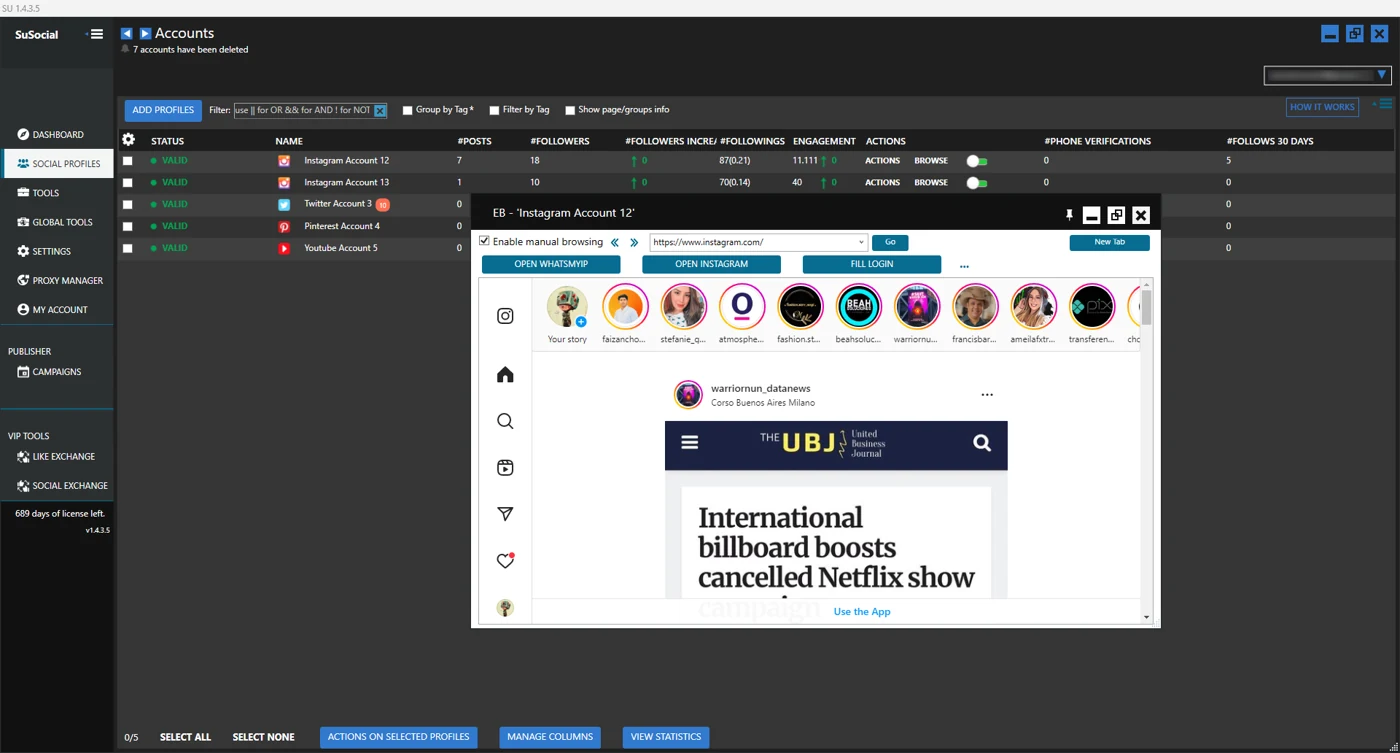
Real product view · All automation tools included in every plan
A little guidance goes a long way.
Explore the setup guides, browse the Knowledge Base, or contact our team for help.