 Instagram
 Facebook
 Twitter
 YouTube
 Pinterest
 LinkedIn
 Tumblr
 Quora
 Reddit
Make room for your next great Instagram post.
Schedule Instagram posts and Stories, manage direct messages and comments, and find relevant hashtags and users. Configure follow, unfollow, repost and other account tools from the feature list below.
No credit card required Windows 10+
-
Publish with a plan
Schedule posts and Stories around your content routine.
-
Keep conversations together
Manage direct messages and comments from your computer.
-
Find your audience
Research hashtags and relevant users for your niche.
An Instagram routine brings together the content people see and the conversations that follow. For a brand, creator or business managing several profiles, keeping posts, Stories, hashtags and replies organised can take time away from creating the next useful piece of content.
SU Social puts those recurring jobs in one Windows workspace. Plan publishing, research hashtags and users, and work through direct messages and comments from your computer. Choose the tools that fit each account and build a routine around the audience you actually want to reach.
Build an Instagram routine around your content
Start with your publishing plan, then decide how you will discover relevant accounts and keep up with conversations. The tools below can support different parts of that routine; you choose which ones belong in your workflow.
Plan the next posts
Prepare posts and Stories for the profiles you manage. Use hashtag research to find relevant options and give each account a content plan that reflects its audience.
Give interactions a focus
Choose relevant users and filters for follow, like or comment activity. Keep the message connected to your content and review the people you want to engage with.
Keep conversations moving
Use the direct-message and comment tools to review conversations, respond from your computer and manage comments across accounts. Make follow-up part of your regular working day.
Instagram tools, explained.
A closer look at the workflow before you get started.
Can I manage Instagram messages and comments?
Yes. The feature set includes direct-message management, comment management, comment deletion and comment likes. Open the relevant tool guide to see its settings and supported options.
Can I research hashtags before scheduling?
Yes. Hashtag Research helps you find related hashtags, and Dynamic Hashtags can rotate your choices in posts. Combine that research with the post and Story scheduling tools listed above.
Can I prepare both Instagram posts and Stories?
Posts Scheduling covers posts and Stories. Prepare the content for the account you manage, then configure its publishing routine in SU Social.
What does the Instagram Auto Re-post tool do?
It helps you find and repost content relevant to your niche. Choose the material you want to share and review how it fits the voice and content plan of your account.
How can I focus Instagram follow activity?
The follow and user-research tools use sources and filters to help you choose relevant accounts. Configure the criteria for your niche rather than applying the same setup to every profile.
Can I remove Instagram comments that match specific criteria?
Yes. Delete Comments supports criteria such as keywords or usernames. It is separate from the tools for reviewing, replying to and liking comments.
Can I save Instagram posts that meet my filters?
Save Posts can save posts from specified users when they pass the filters you configure, including the number of likes and comments.
Can each Instagram account use its own proxy?
Yes. Per-account HTTP proxy support is part of the Instagram feature set. Configure the connection for each account in your workspace.
Give your Instagram workflow a clearer home.
Bring your publishing, account tools and conversations together. Try SU Social with your own Instagram workflow for five days.
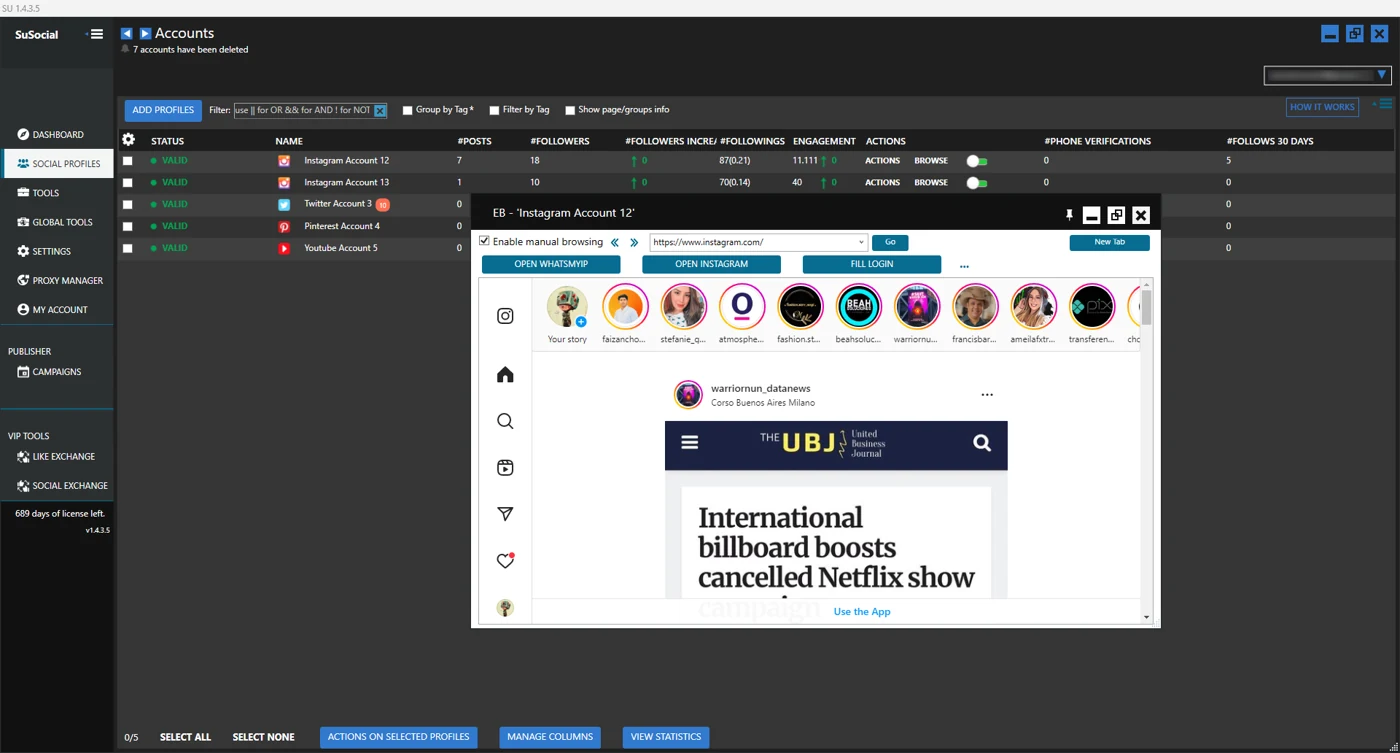
Real product view · All automation tools included in every plan
A little guidance goes a long way.
Explore the setup guides, browse the Knowledge Base, or contact our team for help.