 Instagram
 Facebook
 Twitter
 YouTube
 Pinterest
 LinkedIn
 Tumblr
 Quora
 Reddit
Nine platforms. One place to get things done.
Manage your social accounts and plan publishing with platform-specific tools in the SU Social Windows application. Its ChatGPT integration can generate comments, replies, answers and messages in supported tools using your own OpenAI API key.
No credit card required Windows 10+
-
Plan your content
Publishing workflows for the platforms you manage.
-
Organise your accounts
Keep platform-specific tools in one Windows workspace.
-
Build your routine
Choose the tools and settings that fit each account.
Managing social accounts means switching between publishing plans, audience research, conversations and recurring account tasks. SU Social brings platform-specific tools for nine social networks into one Windows application, so you can organise that work around the accounts you manage.
Explore the individual platform pages for the full feature lists and dedicated setup guides. Every plan includes all automation tools and all nine platforms; the plan you choose determines your total social-account allowance. Start with the channels and workflows that matter most to your business.
Build a workspace around the way you work
Choose a focused starting point, then add the account tools you need. A clear setup connects each platform to your wider publishing and customer-conversation plan.
Choose your platforms
Explore the platform-specific pages and decide which tools suit your accounts. Use the feature catalogue to plan your setup before adding more activity.
Prepare the working routine
Organise publishing and account tasks using the tools available for each platform. Consult the Knowledge Base for campaign, account and individual tool settings.
Keep your workspace running
SU Social runs on Windows and the computer needs to stay on for tasks to run. A Windows VPS is an option when you want a separate machine for the application.
Social media tools, explained.
A closer look at the workflow before you get started.
What changes between the plans?
All plans include the automation tools and nine platforms. Basic, Plus and Elite provide allowances of 10, 30 and 70 total social accounts respectively. Current prices are on the pricing page.
What does a five-day SU Social trial include?
Explore a plan’s tools with your own accounts for five days without a credit card. The trial expires at the end of day five; choose a subscription or a one-month direct-payment licence if you want to continue.
Which platforms are included in the SU Social workspace?
The supported platforms are Instagram, Facebook, Twitter, Pinterest, LinkedIn, YouTube, Quora, Tumblr and Reddit. Open a platform’s feature page for its full tool catalogue.
What operating system does the application need?
SU Social is Windows desktop software for Windows 10 or higher. Read the system-requirements guide for the full software and hardware details of your setup.
Does my machine need to stay on for scheduled activity?
Yes. Tools and scheduled activity run while SU Social and the Windows computer are running. A Windows VPS is an option for a separate machine.
How can Mac or Linux users run SU Social?
Use a virtual machine or a VPS running a supported Windows setup. The application itself runs on Windows, so check the requirements before choosing the machine.
How does ChatGPT connect to the supported tools?
Connect your own OpenAI API key in SU Social to use the supported AI content comment and message workflows. The relevant Knowledge Base guides explain the setup.
What is a sensible first step after installation?
Add the accounts you want to manage, review the platform guides and configure one focused workflow. Build the publishing and account routine around the tasks you actually need.
One workspace. More time for your next idea.
Find the platform tools that fit your routine and try them with your own accounts. Start your five-day SU Social trial without a credit card.
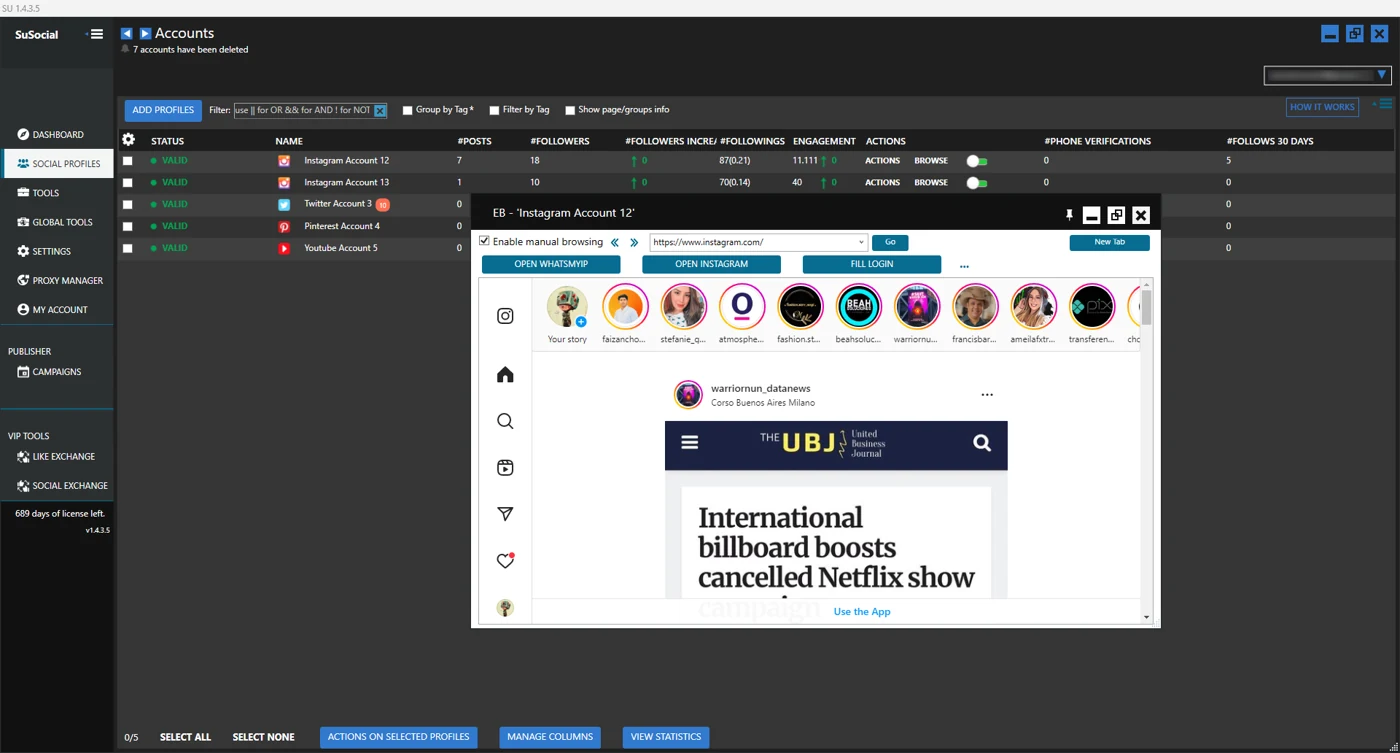
Real product view · All automation tools included in every plan
A little guidance goes a long way.
Explore the setup guides, browse the Knowledge Base, or contact our team for help.