 Instagram
 Facebook
 Twitter
 YouTube
 Pinterest
 LinkedIn
 Tumblr
 Quora
 Reddit
Your Tumblr voice. A more organised workflow.
Follow and unfollow Tumblr users, like posts and reblog relevant content. Publish to blogs and sub-blogs, and assign a separate HTTP proxy to each account.
No credit card required Windows 10+
-
Make space for original work
Publish content to your blogs and sub-blogs.
-
Curate what fits
Bring relevant reblogs into your publishing routine.
-
Keep account tasks together
Configure follow, unfollow and like activity.
Tumblr brings original publishing and curation together. A useful blog has a recognisable subject and voice, whether you are sharing your own work, reblogging relevant posts or maintaining several blogs for different interests and audiences.
SU Social combines Tumblr follow, unfollow, like and reblog tools with publishing to blogs and sub-blogs. Organise recurring tasks from one Windows workspace and keep each blog connected to its own content plan. Per-account HTTP proxy settings are also available when your setup needs them.
Keep every Tumblr blog connected to its own voice
Plan what belongs on each blog before adding more activity. A clear theme makes it easier to choose original posts, curate relevant material and decide which accounts you want to connect with.
Give each blog a purpose
Separate your topics across the blogs and sub-blogs you manage. Prepare original material and decide how curated posts should support the theme of each one.
Organise publishing and reblogs
Use the publishing and Reblog features for the content you choose to share. Review the context of a post so the material fits the blog where it will appear.
Maintain the account routine
Configure follow, unfollow and like activity around relevant accounts and posts. Work through the settings for each account rather than assuming every blog needs the same setup.
Tumblr tools, explained.
A closer look at the workflow before you get started.
Can I publish to Tumblr sub-blogs?
Yes. Post on Sub-Blogs is part of the existing feature set, alongside the follow, unfollow, like and Reblog tools. Organise the content for the blogs you manage.
How can I learn about reblogging with SU Social?
The Tumblr Reblog guide explains that tool’s setup. Use it to review the available options before adding reblogging to your publishing routine.
Which recurring Tumblr account actions are included?
The Tumblr catalogue includes follow, unfollow and like tools, alongside Reblog and publishing to sub-blogs. Select the tools that fit the purpose of each blog.
Can each Tumblr account have its own proxy?
Yes. Tumblr includes per-account HTTP proxy support, with the connection configured separately for the accounts in your workspace.
How should I organise content for different Tumblr blogs?
Give each blog a clear topic and prepare original or curated posts that fit it. Use the available publishing and Reblog tools around that plan.
Does the computer need to stay on for Tumblr tools?
Yes. Tumblr activity runs through the SU Social Windows application. Keep the computer running while the tools work, or use a Windows VPS for a separate setup.
Can Tumblr be part of a wider social-account workspace?
Yes. Tumblr is one of the supported platforms in SU Social. You can organise it alongside other accounts while keeping the tools and content choices specific to each channel.
Can I try the Tumblr tools before paying for a plan?
A five-day trial lets you explore SU Social with no credit card required. Use that time to test the Tumblr workflow that matters to you; the trial expires at the end of day five.
More room for the ideas behind your Tumblr blogs.
Bring publishing, reblogs and recurring account tasks into one place. Try the Tumblr tools in SU Social for five days.
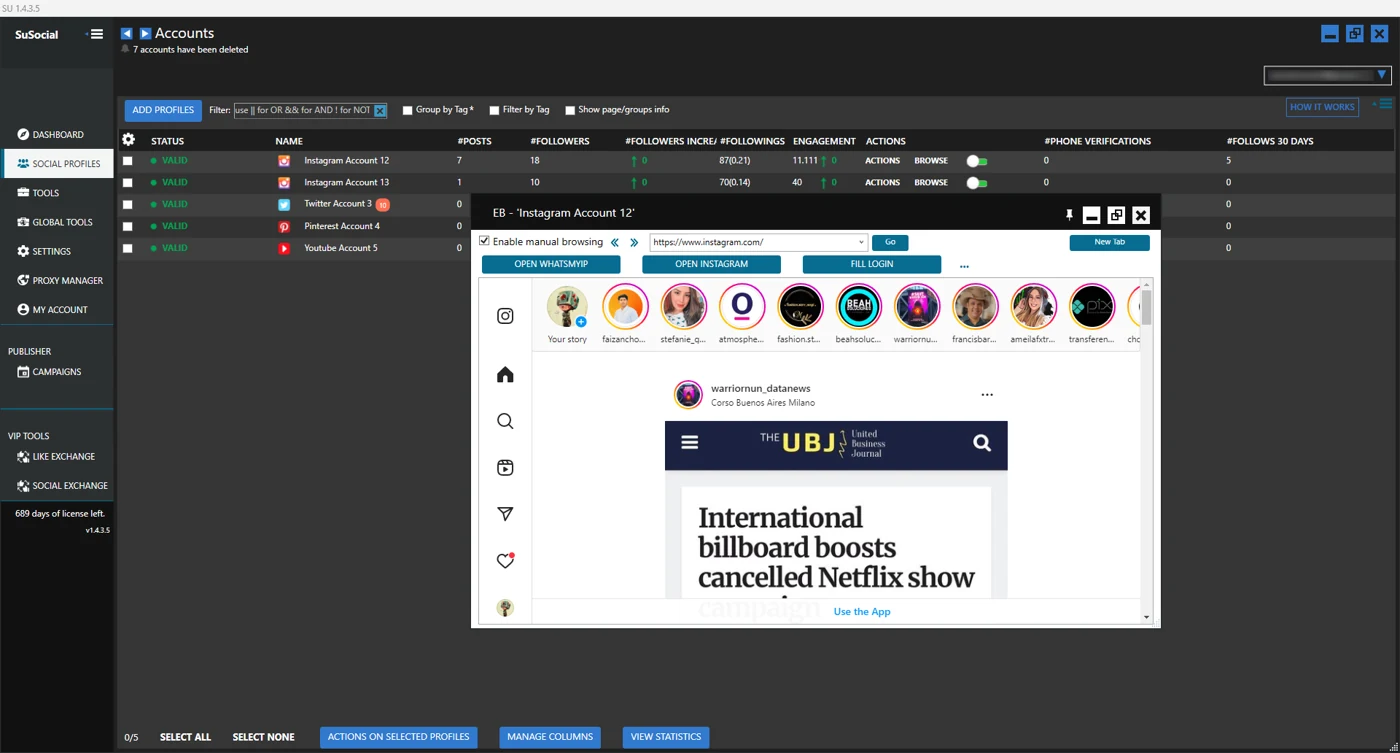
Real product view · All automation tools included in every plan
A little guidance goes a long way.
Explore the setup guides, browse the Knowledge Base, or contact our team for help.