 Instagram
 Facebook
 Twitter
 YouTube
 Pinterest
 LinkedIn
 Tumblr
 Quora
 Reddit
A clearer workflow around your YouTube videos.
Use SU Social’s YouTube tools for follow and unfollow actions, video likes, comments and comment likes. The features below also include video watching, browser-based activity, spin syntax and per-account proxy support.
No credit card required Windows 10+
-
Organise interactions
Work with video comments, likes and comment likes.
-
Choose your account tools
Configure follow, unfollow and video-watching activity.
-
Explore the settings
Use dedicated guides for the options in each tool.
A YouTube workflow includes the conversations around videos as well as the videos themselves. Creators, publishers and businesses working with several accounts need a practical way to organise relevant channels, comments and other recurring account activity.
SU Social’s YouTube feature set focuses on follow and unfollow actions, video likes, comments, comment likes and video-watching tools. These sit alongside browser-based activity, spin syntax and per-account proxy settings. Use the individual tool guides to choose the options that fit the account work you want to organise.
Organise the account work around your YouTube content
Begin with the channels, videos and discussions relevant to your subject. A clear purpose for each account makes it easier to choose the tools you need and keep your interactions connected to your wider content plan.
Set a clear account focus
Identify the topics and channels relevant to your audience. Decide which parts of your account routine need attention before configuring individual tools.
Prepare relevant interactions
Organise the comment, video-like and comment-like tools around that focus. Prepare messages that make sense in the discussion and use spin syntax where you need text variations.
Work through the tool settings
Configure follow, unfollow or video-watching activity as needed. Consult the dedicated YouTube guides for the settings and source options of each tool you choose.
YouTube tools, explained.
A closer look at the workflow before you get started.
Which YouTube interaction tools are included?
The catalogue includes follow, unfollow, video likes, comments, comment likes and automated video watching, plus browser-based activity, spin syntax and per-account HTTP proxy support.
Where can I learn how the comment tool works?
Open the YouTube Comment Tool guide linked below. It explains the tool configuration so you can prepare a relevant setup before running activity on your account.
Can I manage likes on YouTube comments?
Yes. Like Comments is included alongside video comments and video likes. Use the relevant tool guide to review its sources and configuration.
Are YouTube follow and unfollow configured individually?
Yes. Auto Follow and Auto Unfollow are separate tools in the YouTube catalogue. Choose the settings and actions that fit the account you are organising.
What is the YouTube video-watching feature?
Auto-Watch Videos is one of the listed YouTube account tools. Review its dedicated guide for the supported source options and settings before using it.
Can YouTube comment text use spin syntax?
Spin Syntax Support lets you prepare variations in supported text fields. Review the wording so the comments remain relevant to the videos and discussions you choose.
Can a YouTube account have a separate HTTP proxy?
Yes. Proxy Support is included for YouTube accounts. Set the proxy for each account through its connection settings in SU Social.
Can I organise YouTube alongside my other social accounts?
Yes. YouTube tools are available in the same Windows application as the other supported platforms. Keep each account’s settings and purpose clear within the wider workspace.
Bring your YouTube account routine into focus.
Explore the YouTube tools in the same workspace as your other social accounts. Try SU Social for five days with no credit card required.
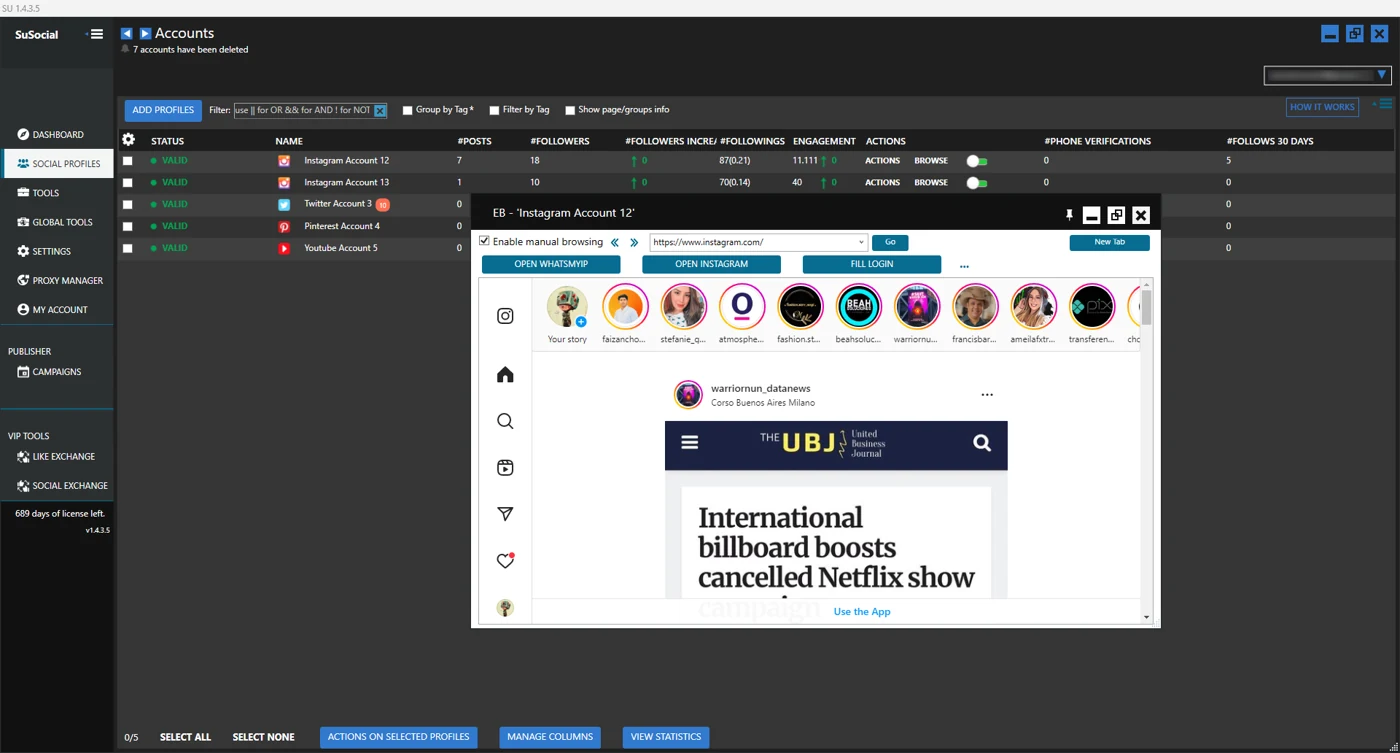
Real product view · All automation tools included in every plan
A little guidance goes a long way.
Explore the setup guides, browse the Knowledge Base, or contact our team for help.