 Instagram
 Facebook
 Twitter
 YouTube
 Pinterest
 LinkedIn
 Tumblr
 Quora
 Reddit
Good Quora answers start with a focused workflow.
Follow and unfollow Quora users, upvote content, and extract, answer or post questions. Review your recorded account activity and use browser-based tools and per-account HTTP proxies.
No credit card required Windows 10+
-
Start with the questions
Organise relevant questions and subjects.
-
Put knowledge to work
Configure the Answers & Posting workflows.
-
Keep track of activity
Review recorded actions and account tool settings.
Quora is built around questions and the knowledge people bring to them. For a business or specialist, a useful routine starts with relevant subjects, clear explanations and answers that respond to what someone actually wants to understand.
SU Social helps organise question and answer activity alongside follow, unfollow and upvote tools. Extract relevant questions, prepare answers or post your own questions using the supported workflows, then review your recorded activity. Browser-based tools and per-account HTTP proxy settings are included in the Quora feature set.
Put useful answers at the centre of your Quora routine
Choose a small set of subjects where you have something helpful to contribute. Organising the question list and the account work gives you more room to focus on the substance of each answer.
Choose relevant questions
Start with subjects connected to your experience, product or audience. Use the question workflows to organise the material you want to work through.
Prepare an answer worth reading
Make the explanation fit the question and review the details before using it. Configure the Answers & Posting tool around the question and answer activity you have planned.
Review the account history
Keep track of recorded actions and refine your setup. Add follow, unfollow or upvote activity only where it fits the purpose of the account and the subjects you cover.
Quora tools, explained.
A closer look at the workflow before you get started.
Does SU Social include question and answer workflows?
Yes. Answers & Posting covers extracting and answering questions, as well as posting questions and answers. The Quora Answers guide explains how to configure the supported options.
Can I review recorded Quora activity?
Yes. Full statistics includes an activity history. Use it alongside the individual tool settings to review the actions your account has performed.
Can I organise questions before preparing Quora answers?
The Answers & Posting workflow includes extracting relevant questions. Use that list to choose the subjects where you can contribute a useful explanation.
Can I post my own Quora questions through the listed workflow?
Yes. The Quora catalogue describes posting your own questions and answers as part of Answers & Posting. Consult the dedicated guide for the supported setup.
Are follow and unfollow available for Quora accounts?
Yes. Follow & Unfollow is part of the Quora tool set. Configure the activity around the people and subjects relevant to your account.
What does the Quora Upvote tool work with?
The catalogue lists upvote activity for supported Quora content such as answers, topics, profiles and blog posts. Review the tool settings for the source options you need.
Can I configure a separate proxy for a Quora account?
Yes. Proxy Support lets each Quora account use its own HTTP proxy. Manage the connection as part of the account setup in SU Social.
Should I review Quora answers before using them?
Yes. Check that an answer responds to the question, explains the subject accurately and adds useful context. The account tools support your workflow; the knowledge and editorial choices come from you.
Give your Quora knowledge a more organised workflow.
Explore question, answer and account tools in one Windows workspace. Start a five-day SU Social trial and build a routine around your subjects.
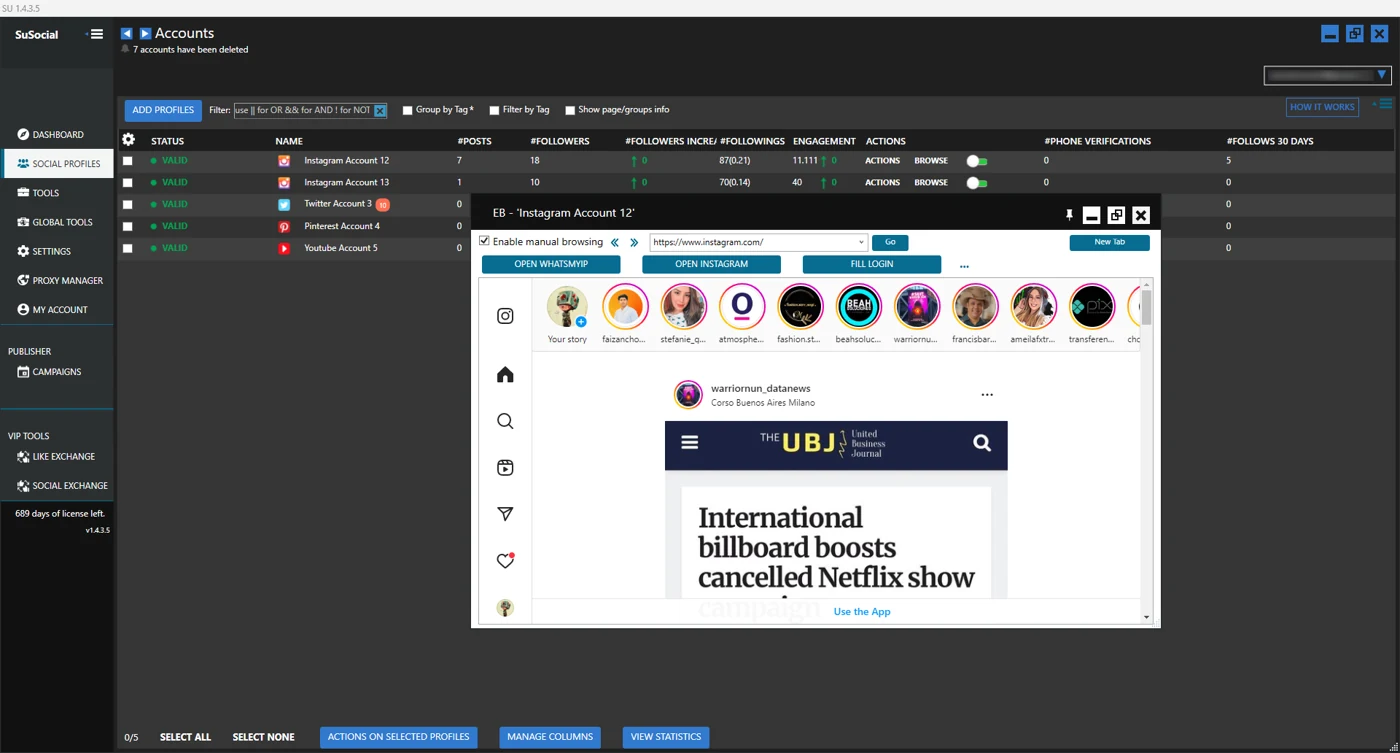
Real product view · All automation tools included in every plan
A little guidance goes a long way.
Explore the setup guides, browse the Knowledge Base, or contact our team for help.