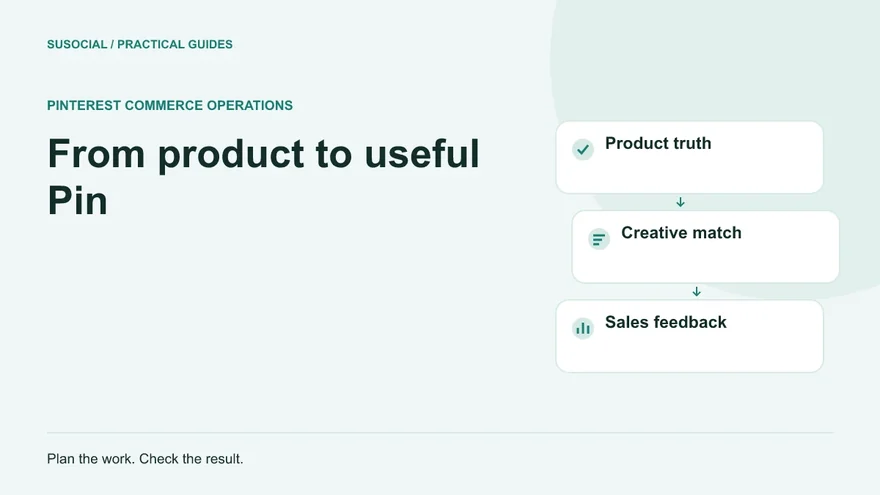
A product photograph becomes more useful on Pinterest when it answers a shopping question. Someone furnishing a narrow hallway needs to see dimensions, placement and a workable idea, not simply another photograph of the same console table. Automated Pinterest marketing for e-commerce should distribute those useful answers consistently while keeping the underlying product information accurate.
That requires a connection between merchandising, creative production, publishing and the store. The scheduler handles a defined part of the process. Your team still decides which products deserve attention, approves what the images promise and checks whether visitors can buy the item they saw.
Begin with a small, sellable product collection
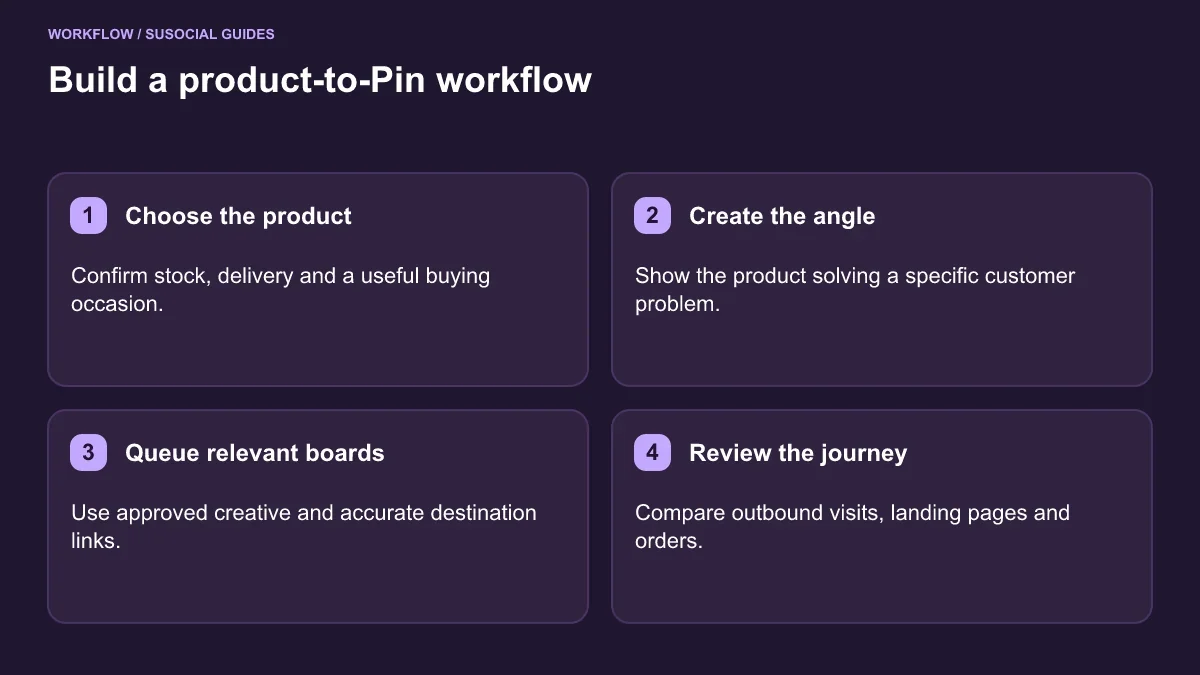
Choose a collection that has a clear use case and stable availability. A shop with hundreds of products does not need hundreds of simultaneous campaigns. It needs an initial selection for which it can explain the buyer’s problem, show the product well and maintain the landing pages.
For each selected item, record the product URL, stock status, important variants, shipping regions, normal fulfilment time and the person responsible for updates. Include the date of the last check. If a Pin mentions a price or delivery promise, assign an expiry or review date to that creative. A published Pin can continue circulating after the original campaign finishes.
Group products by customer purpose rather than by your warehouse labels. A retailer might build a “small apartment entryway” collection containing a mirror, compact bench and shoe storage. That is a better creative brief than “new stock, category 17.” Each item must still have a specific destination; a themed image should not send shoppers to an unrelated homepage.
Match creative angles to shopping decisions
Build a short list of questions customers ask before buying. Support tickets, product reviews and on-site search terms can reveal practical concerns: Will it fit? What comes in the box? Is it suitable for outdoor use? Can it be washed? These questions suggest substantially different Pins without requiring artificial variations of the same sales pitch.
A useful product creative matrix might look like this:
| Buying question | Creative approach | Suitable destination |
|---|---|---|
| Will this fit my room? | Product shown with meaningful dimensions | Product page with measurements |
| How would I use it? | Real arrangement or short demonstration | Product or detailed guide |
| Which option is right? | Clear comparison of actual variants | Comparison or collection page |
| What makes it practical? | Close view of a verified feature | Product page explaining that feature |
Create assets in your design workflow before adding them to a publishing queue. SU Social’s documented Pinterest tools include scheduling, RSS images and watermarking; that does not mean a product catalog automatically becomes finished, approved advertising creative. Treat design and distribution as connected but separate jobs.
Write titles that identify the item and the task. A useful description supplies context that an image cannot: material, intended use, care requirements or a relevant limitation. Avoid filling every description with the same long keyword string. A shopper should learn something even before clicking.
Build a publishing structure that mirrors the collection
Use a Pinterest business account so that platform analytics are available. Give boards clear subjects that match the collection’s actual content. A narrow hallway product belongs on a board about entryway storage or small-space interiors; it does not belong on every home-related board you can find.
In SU Social, use Destination Lists to organize the accounts and boards that a campaign may publish to. Give the list a name that includes the brand and subject. Review the selected boards before enabling a campaign, especially if the same Windows installation manages several stores. A recognizable name reduces the chance of publishing one client’s product on another client’s account.
Prepare a campaign batch with approved images, descriptions and URLs. Check the final destination at this stage rather than trusting a spreadsheet assembled weeks earlier. Open the page on a phone, choose the advertised variant and confirm that shipping information is accessible. If the image shows a set of three, the landing page must make clear whether the displayed price covers a set or one item.
Choose a manageable publishing calendar based on how much genuinely useful material the collection supports. There is no universal number of Pins that produces a particular traffic result. An ambitious queue that repeats a weak offer is less useful than a smaller queue that teaches you which questions attract qualified shoppers.
Use automation for predictable handoffs
The Pinterest feature overview explains the available publishing and account tools. Start with the controls needed for your workflow rather than enabling everything. For a product launch, those controls may simply be approved destinations, prepared content and a clear schedule.
If a store also publishes buying guides, the RSS Posts Extractor can bring text and images from a suitable feed into campaigns. Begin by sending extracted items to drafts. Feed content often contains a general article image or an introductory paragraph that needs editing before it becomes a good Pin. An RSS feed is not a live inventory integration, and the extractor does not turn feed video into a finished video post.
Assign a person to watch the queue and publication results. SU Social runs as Windows desktop software, so the application, computer and network need to remain available for scheduled operations. A compatible Windows VPS can support that operating arrangement, but it does not remove the need to check sessions, errors or the accuracy of the content being sent.
Document three handoffs: who approves the product, who approves creative and who can pause publication. These responsibilities matter more than an elaborate naming convention. If stock changes suddenly, the person who learns about it must know where the related campaign is and how to stop queued material.
A worked example: a small homeware collection
Imagine a store promoting six products for compact entryways. The team selects two useful questions for each item: how it fits and how it is used. That gives twelve creative briefs, not a promise of twelve successful Pins. One photograph might show the bench under a coat rack; another might show the storage compartment with its real internal measurements.
The editor assigns each brief a product identifier, one destination URL and a primary board. A second board is included only when the same creative is helpful to that audience. Before scheduling, the reviewer checks that the photograph, caption and product page describe the same finish and size.
For measurement, the team adds consistent campaign parameters to links where its store analytics support them. The content identifier distinguishes the dimension-focused image from the styling image. The identifier should be understandable six weeks later, so “bench_dimensions_a” is more useful than an unexplained random code.
After an initial review period, the team compares three kinds of evidence. Pinterest shows whether the content was seen and whether people left the platform. Store analytics show what those visits did on the site. Orders and margin indicate whether the campaign attracted suitable buyers. This is a practical learning loop; none of those observations alone proves that a particular image caused all recorded sales.
Measure the whole purchase journey
Use Pinterest Analytics to distinguish impressions, saves, Pin clicks and outbound clicks. A Pin click opens the content; an outbound action takes someone toward a destination outside Pinterest. Those are different steps and should not be combined into a single “traffic” number.
Build a small weekly report around questions rather than a large dashboard of disconnected totals:
- Which products and creative angles produced outbound interest?
- Did visitors arrive on the intended product or guide?
- Did those visitors view relevant items, add products to the cart or buy?
- Were poor results associated with stock, delivery, page speed or an unclear offer?
- How much production and operating time did the campaign require?
Record revenue alongside returns and the contribution margin of the products sold. A campaign for a low-margin item can generate visible activity while adding little commercial value. Likewise, a Pin that sends fewer visits to a higher-intent product page can be useful even if it is not the most saved image.
Compare similar time windows and allow for the age of the content. Avoid declaring a new creative unsuccessful after a short period simply because an older Pin has accumulated more views. Keep paid and organic activity separate when assessing what the publishing workflow achieved.
Solve bottlenecks before expanding the queue
If impressions appear without outbound interest, revisit the promise and the reason to click. Some images answer the entire question on Pinterest, which can be useful for awareness but may not support a sales objective. Other images are attractive yet too vague to identify what a shopper would find on the destination page.
If outbound interest exists but store engagement is weak, test the destination before changing publishing frequency. The wrong variant, an unexpected price, a slow mobile page or unavailable shipping can interrupt the journey. More Pins cannot repair a checkout that does not serve the audience you are attracting.
If operations become unreliable, reduce the number of simultaneous campaigns. Fix account synchronization, review failed items and check whether the Windows environment remains online. A recoverable process should let an operator identify what actually published before retrying, so that a network interruption does not create accidental duplicate work.
Questions that help set the scope
Can scheduling replace Pinterest shopping catalogs?
No. Catalogs and scheduled editorial Pins solve different problems. A catalog organizes product data through Pinterest’s commerce systems, while an editorial queue distributes prepared creative. Evaluate each separately and verify the requirements of the catalog integration you plan to use.
Should every product have several Pins?
Only when each asset offers a meaningful new angle. Different crops or nearly identical wording do not automatically make a collection useful. Begin with the products for which you have strong images, clear information and a reason for someone to visit.
What should the first campaign prove?
It should prove that the team can maintain accurate creative, publish to the right boards, identify the resulting visits and learn from the store journey. Once that process is dependable, expand the product selection and creative coverage. The aim is a repeatable merchandising system that supports buying decisions, not a fixed monthly click claim.



Leave a Reply