
Every social media manager has stared at their smartphone screen at 9:00 PM, furiously typing a response to an escalating customer complaint, only to realize the link in the company bio is broken and fixing it requires navigating three nested menus on a five-inch display. Conversely, almost everyone who runs brand channels has sat at a multi-monitor workstation, frustrated that an Instagram Story sticker or a TikTok audio trend cannot be applied without transferring the video file over AirDrop to a phone.
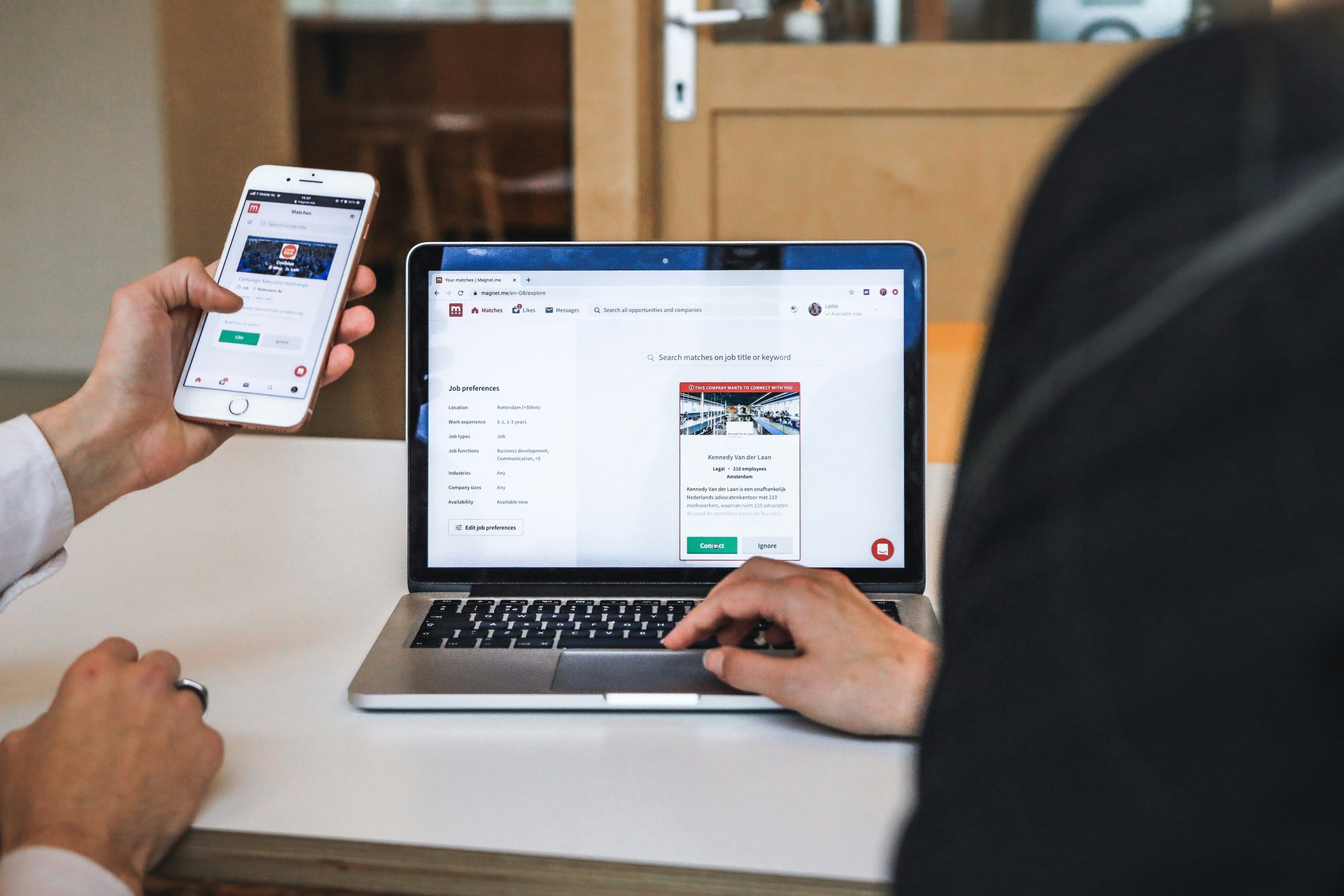
Managing social media across multiple channels is no longer a matter of picking one environment and staying there. While handheld devices offer unbeatable immediacy, desktop environments deliver the computing power, screen real estate, and structural organization needed for large-scale operations. When you oversee multiple brands, client accounts, or content formats, treating mobile and desktop as interchangeable tools creates operational friction, increases human error, and leads to team burnout.
To build an efficient publishing workflow, social media professionals need a clear division of labor between mobile and desktop applications. Let us dissect the mechanical advantages, practical limitations, and optimal operational balance between these two environments.

The Functional Strengths and Bottlenecks of Mobile Social Media Management
Mobile applications are designed around immediacy, capture, and personal connection. Smartphone hardware integrates high-resolution cameras, microphones, location services, and haptic notifications directly into the operating system. Because social networks such as Instagram, TikTok, and Snapchat were engineered mobile-first, their native smartphone apps retain exclusive access to specific creative tools. Features such as interactive poll stickers, native trending audio libraries, dual-camera capture, and direct augmented-reality filters remain awkward or entirely inaccessible when attempted through a standard web browser.
For community engagement and urgent crisis response, mobile remains indispensable. When an unexpected service disruption occurs or a customer leaves a critical review on a weekend, the ability to jump into a thread within sixty seconds prevents public relations fallout. Real-time community interaction—such as replying in live video streams or snapping behind-the-scenes event photos—requires the physical agility of a phone in your pocket.
However, the limitations of mobile become glaring as soon as operations expand beyond a single hobby account. The primary bottleneck is physical input and cognitive fragmentation. Typing detailed captions, formatting long-form threads, and cross-referencing UTM parameters on a virtual touchscreen keyboard slows productivity. More critically, native mobile apps are notorious for account-switching accidents. A social media practitioner managing five distinct Instagram accounts on a single phone is always one slip away from posting personal commentary to a client profile.
Furthermore, mobile interfaces conceal detailed information behind hamburger menus and swipe gestures. You cannot view a thirty-day content calendar, an asset repository, and an engagement queue simultaneously. Trying to perform complex account audits, bulk tag moderation, or cross-channel asset tagging on a phone forces continuous app switching, which drains mental energy and invites costly publishing oversights.
Where Desktop Applications Dominate Complex Operations
Desktop applications provide the physical and technical infrastructure required for systematic, high-volume social media operations. When your daily routine shifts from publishing single updates to executing an editorial strategy across several brands, screen space and input precision become decisive factors. A dual-monitor desktop workstation lets you view an editorial calendar on one screen while referencing creative folders, draft copy, analytics dashboards, and brand asset guidelines on the other.
Batch content creation is perhaps the most obvious desktop advantage. Writing twenty pieces of long-form copy, structuring multi-slide LinkedIn carousels, proofreading captions with grammar tools, and building precise UTM tracking links takes a fraction of the time on a full-size mechanical keyboard with a precision mouse. Establishing a disciplined content planning framework for scheduling and asset organization is far more sustainable when your files reside in structured cloud storage folders rather than scattered camera rolls.
Security and team governance also heavily favor desktop environments. Operating through centralized desktop software allows agencies and marketing teams to grant role-based access permissions. Rather than sharing master passwords across individual employee smartphones—where accounts might remain logged in on personal devices after a team member departs—desktop management architectures permit administrators to control posting permissions, enforce mandatory editorial review pipelines, and log session histories.
Finally, desktop workstations excel at hardware resource management. Rendering a 4K vertical video file, manipulating multi-layer graphic designs in editing software, and maintaining dozens of active browser tabs will thermal-throttle most smartphones. A dedicated desktop environment provides the processing power and RAM required to handle resource-heavy creative and multi-account automation tasks without crashing or draining a battery mid-upload.

Managing Multiple Accounts: Isolation, Sessions, and Device Safety
If you manage more than three social media profiles, the technical difference between mobile and desktop becomes a matter of account security and platform trust. Social network algorithms actively evaluate device fingerprints, IP addresses, proxy connections, and session tokens to combat spam and automated manipulation. When an operator frequently toggles between ten different business accounts on a single mobile device, platforms can flag this rapid switching as suspicious behavior, resulting in sudden verification checkpoints, temporary action blocks, or shadowbans.
Desktop environments offer far superior control over environment isolation. On desktop systems, marketers can utilize distinct browser profiles, dedicated proxy networks, and separate operational sessions for each client. This architecture ensures that cookies, cache data, and session states for Brand A never intermingle with Brand B.
When operations scale to hundreds of daily tasks across diverse networks, software solutions like SMTasker help social media teams organize scheduling routines, manage repetitive operational tasks, and maintain controlled desktop workflows without risking session leakage. By anchoring persistent account connections to dedicated desktop infrastructure, teams eliminate the friction of constant re-authentications that plague mobile apps whenever an operating system pushes a software update.
Best Practices for Account Isolation
- Assign dedicated browser profiles: Never manage multiple competing brands in identical browser windows; create isolated Chrome or Firefox containers for each client.
- Implement static IP assignments: If team members log in remotely, route traffic through consistent, geo-located IP addresses so platforms do not detect erratic location hops.
- Enforce two-factor authentication (2FA) via desktop authenticators: Use centralized password managers that store encrypted 2FA keys rather than routing SMS verification codes to individual personal mobile phones.
- Maintain a clear audit trail: Document which team member accessed specific profiles at given times to trace unexpected setting changes or unauthorized publishes.
Asset Production, Video Formatting, and Content Staging
Content preparation highlights the starkest contrast between handheld agility and desktop precision. Social media algorithms in 2026 demand crisp, native-looking multimedia assets formatted precisely for each platform’s unique aspect ratios, frame rates, and compression requirements. How and where you process those files determines your output quality.
Mobile asset production is unmatched for capturing spontaneous, authentic footage. High-profile product unboxings, live event snippets, employee interviews, and quick reaction clips look more genuine when captured on mobile hardware. However, turning raw footage into polished, brand-compliant social content requires methodical staging. Documenting clear operational milestones and role responsibilities—similar to the standard procedures outlined in content marketing workflow documentation guidelines—ensures raw mobile media moves systematically through review, editing, and approval before it ever touches a live feed.
A Practical 4-Step Staging Workflow
- Capture on Mobile: Film raw video clips, capture on-location product shots, and record ambient audio directly on mobile devices using native camera settings (4K at 60 FPS recommended for flexibility).
- Automated Ingestion to Desktop: Sync raw footage to a designated cloud storage directory (such as Google Drive or Nextcloud) with standardized file-naming conventions (e.g.,
YYYY-MM-DD_Brand_Topic_Raw01.mp4). - Desktop Assembly and Optimization: Import raw clips into desktop video editors to color-grade, burn in accessible captions, trim dead air, and output aspect-ratio-specific exports (9:16 for Reels and TikTok, 1:1 or 4:5 for feed posts, 16:9 for YouTube).
- Centralized Asset Scheduling: Upload polished final files to your desktop management software, attaching approved copy, verified link previews, and targeted platform tags.
This hybrid sequence exploits the sensory advantages of mobile hardware while protecting your brand from poorly cropped graphics, missed typos, or broken links that occur when trying to edit and post video files entirely on a mobile device.
Analytics, Reporting, and Account Audits: Why Screen Real Estate Matters
Social media managers are ultimately evaluated on return on investment, engagement quality, follower acquisition cost, and revenue attribution. Extracting actionable business intelligence requires deep analytical inquiry—an exercise where mobile applications fail to provide necessary depth.
Native mobile analytics views are designed to deliver top-level vanity metrics. They show total impressions, follower counts, and basic demographic percentages through simplified bar charts. But real campaign optimization requires cohort analysis, click-through attribution tracking, cross-network aggregation, and exportable CSV data. You cannot easily cross-examine twenty data columns in a spreadsheet or build pivot tables on a six-inch phone screen.
Quarterly performance reviews require running rigorous assessments of profile security, message sentiment, and audience growth. Following a structured procedure like the six-step social media audit process requires desktop-level capability: pulling multi-month data sets, conducting competitor profile side-by-side reviews, evaluating branding consistency across six platforms, and checking link tracking accuracy.
Understanding broader audience shifts also requires examining macro-level industry data. For example, recent demographic research on social media platform adoption patterns among adults demonstrates how user behavior continues to splinter across diverse networks. Translating these high-level behavioral shifts into tactical changes for your own brand demands multi-window analysis: viewing your internal engagement data side-by-side with industry benchmark studies, your conversion funnels, and your content archives. On a desktop system, you can easily toggle between custom Google Looker Studio reports, your social publishing queues, and web analytics dashboards to identify which channels truly drive pipeline value.
Building a Frictionless Hybrid Workflow: The Ideal Operational Split
Rather than pitting mobile against desktop in an artificial rivalry, the most productive social media teams implement a deliberate operational division. By assigning specific responsibilities to each device based on its innate strengths, you maximize output quality while safeguarding mental focus and account integrity.
Tasks Assigned Exclusively to Desktop
- Strategic Content Planning: Mapping out monthly editorial calendars, conducting hashtag research, and establishing campaign themes.
- Batch Asset Scheduling: Writing long-form copy, formatting multi-network variants, applying UTM tracking codes, and programming queues across accounts.
- Deep Analytics and Performance Reporting: Exporting raw performance data, analyzing conversion paths, compiling client-facing PDF slide decks, and running competitor benchmarks.
- Account Security Administration: Managing client permissions, rotating master passwords, provisioning proxy setups, and assigning team seat access.
- Asset Library Management: Tagging, organizing, and archiving high-resolution photography, raw B-roll, motion graphics templates, and vector logos.
Tasks Assigned Exclusively to Mobile
- On-the-Ground Content Capture: Shooting high-definition vertical video, recording event footage, and capturing candid office culture imagery.
- Native-Only Feature Deployment: Applying platform-specific interactive stickers, trending sound bytes, and AR filters that cannot be rendered on web versions.
- Rapid Community Engagement: Responding quickly to incoming direct messages, monitoring high-priority brand tags, and participating in live video broadcasts.
- Urgent Triage and Monitoring: Receiving critical system alerts or PR flags during off-hours to quickly pause scheduled campaigns if an unexpected crisis occurs.
By enforcing this division across your marketing team, you eliminate the cognitive fatigue of trying to run complex operational tasks on a smartphone, while avoiding the rigid, sterile presence that results from running social media solely through scheduled desktop queues without real-time human interaction.
Final Takeaways for High-Efficiency Social Media Management
The debate between mobile and desktop social media management is not about determining an absolute winner; it is about establishing systemized discipline. Mobile applications provide the speed, sensory responsiveness, and native features necessary to keep your brand culturally attuned and responsive to its audience. Desktop software provides the structural stability, security controls, analytical depth, and physical ergonomics required to operate multiple accounts profitably and sustainably.
Treat your smartphone as your field camera and emergency pager. Treat your desktop workstation as your control room, production studio, and command center. When you align your daily operational routine with the technical strengths of each environment, you spend less time wrestling with menus, reduce costly publishing errors, and build an audience growth engine that scales smoothly as your accounts expand.
Leave a Reply