
An explainer video helps a particular audience understand an idea, product or process. It works best when the visuals show something the explanation needs: a sequence, comparison, movement or example that is difficult to convey with a headline alone.
Start with what the viewer should understand or be able to do afterward. Video is one useful format, but it does not automatically hold attention, improve sales or replace a readable written explanation.
Choose one question worth explaining
A focused demonstration can simplify complex ideas and concepts by showing the relevant parts in a sensible order. Identify the viewer’s starting knowledge and the main difficulty. For example, a software setup video might show prerequisites, the key configuration choice and how to check the result.
Do not overload the opening with company history before answering the promised question. Explain unfamiliar terms when needed and keep any product limitation visible instead of cutting it from the demonstration.
Read performance evidence with its context
The older statistics roundup linked as “According to a report,” dates from 2017. It is historical background, not a reliable forecast of the engagement or conversion lift a new video will deliver.
According to a study published by Wyzowl for its 2026 report, video is used for a range of marketing purposes; the report describes a survey of 266 respondents conducted in late 2025. Such self-reported evidence is different from a controlled test of your own landing page. Avoid promising a universal 80% improvement.

Write and test a simple script
- State the task. Tell viewers what the explanation covers and who it suits.
- Show the relevant steps. Use a real example with accurate inputs and a visible result.
- Address the likely obstacle. Explain an error, prerequisite or decision that commonly causes confusion.
- Offer the next step. Point to an appropriate guide, product page or support route.
Read the script aloud and ask a suitable person to follow it. If they cannot complete the task or explain the main idea, revise the explanation before spending time on animation. Compare production cost with other suitable marketing strategies. Include future updates in the budget.
Use production choices that improve understanding
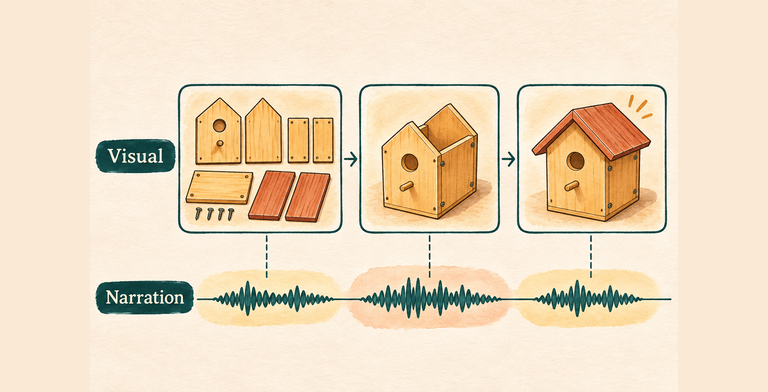
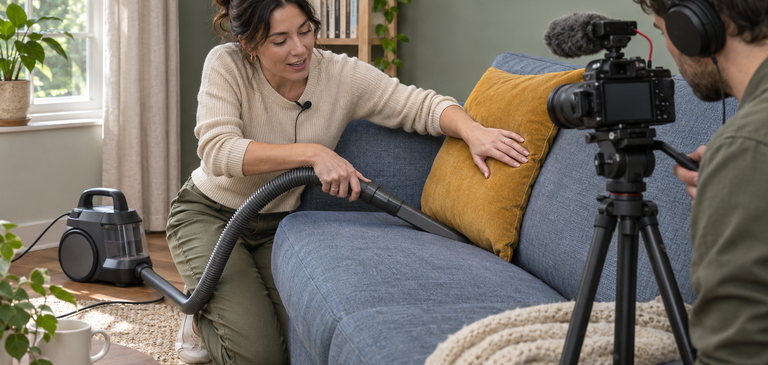
Screen recording can suit a workflow; simple animation can explain a relationship; a person on camera can demonstrate a physical product. Keep on-screen labels legible and synchronized with the explanation. Use material, music and voices you have the right to publish.
Clear, intelligible narration matters more than a particular accent or expensive voiceover. A professional narrator can be appropriate, but credibility still depends on the accuracy of the message and demonstration.

Plan captions and an appropriate transcript or description of essential visual information. Make sure the main idea still makes sense for someone who cannot hear the narration or see every detail. W3C’s media guidance can help plan those alternatives before production.
Choose length from the explanation
Keep the video as concise as the task allows, without cutting necessary information to meet an arbitrary one-to-two-minute rule. For a complex topic, a short overview with clearly organized supporting lessons may be easier to use.
Storytelling can connect a problem, action and outcome, but a customer example should be real or clearly illustrative. Do not invent a testimonial or show a simplified result as if every viewer will achieve it.
Publish, observe and maintain
Use a clear title and thumbnail that match the content, and place the video where the relevant question arises. Check the destination on a phone and provide a text route to essential information.
Evaluate useful outcomes: whether viewers complete the task, ask fewer repeat questions or make a qualified inquiry. Review retention alongside the scene rather than assuming every early exit means failure. Update or retire the video when instructions, interfaces or the offer change.
Meet the Author
Natalie Smith is an experienced online marketer with over a decade of experience in the industry. She specializes in spearheading compelling & effective marketing campaigns for startups that drive results & increase brand awareness.

Leave a Reply